How Claude Is Revolutionising the Video Editing World
For decades, editing software has followed the same basic logic: you click, you drag, you scrub, and you wait. Even as tools like DaVinci Resolve's Neural Engine got smarter at rotoscoping, stabilising, and colour matching, the editorial* layer deciding what to cut, where to caption, how to pace a story stayed stubbornly manual. However, that's exactly the layer AI language models like Claude are now starting to reshape, and 2026 has been the year this shift moved from experimental novelty to genuinely production-ready workflow.
In this piece, we'll break down what's actually changed, how it compares to the traditional editing grind, and where it fits into a professional post-production pipeline like ours at MAKE ENT STUDIO.
From "Click Here" to "Do This"
First and foremost, the biggest change isn't a new button in your NLE. Instead, it's an entirely new interaction model. Rather than hunting through menus, editors are now describing what they want in plain language and letting an AI agent execute it directly on the timeline.
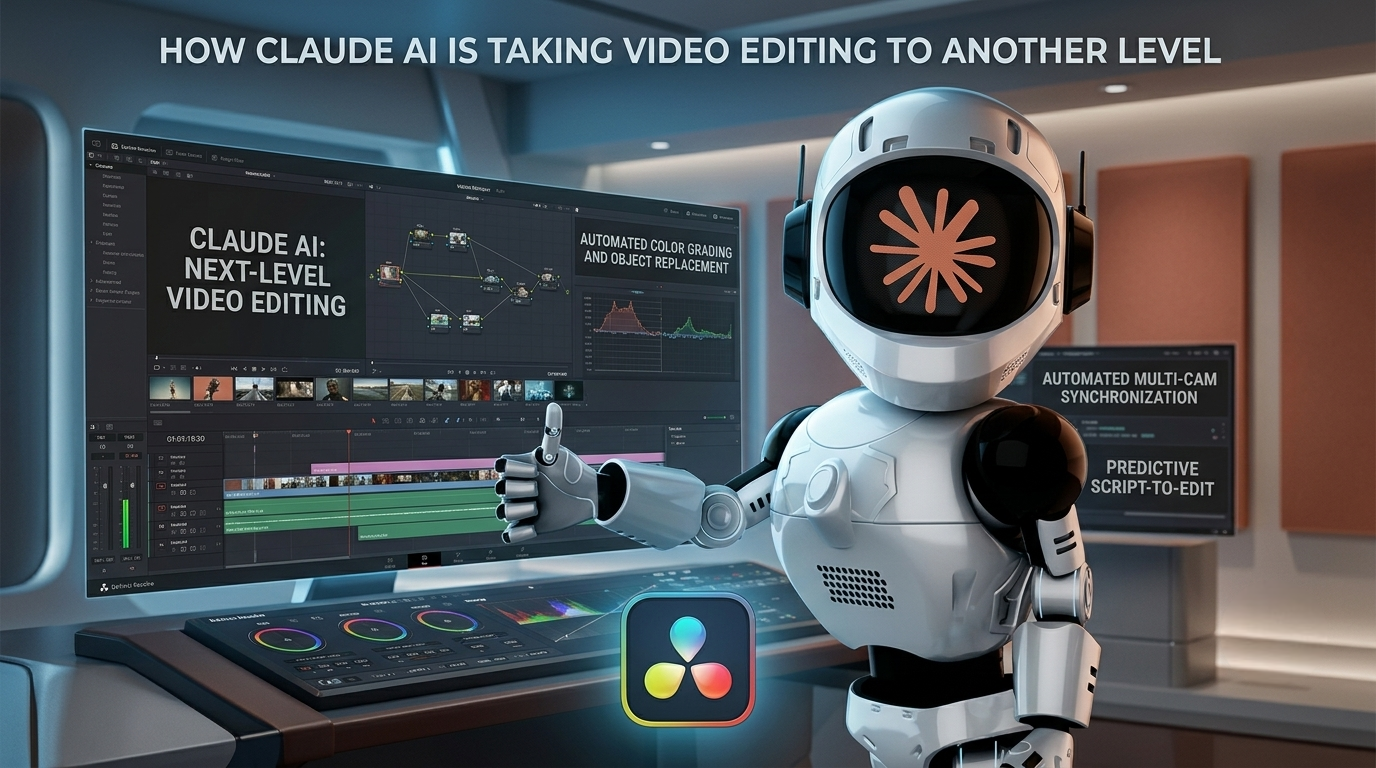
Plugins like DavinciClaude have made this concrete inside DaVinci Resolve itself. Rather than replacing Blackmagic's built-in Neural Engine which still handles pixel-level work like Magic Mask, Speed Warp, and Voice Isolation Claude sits on top of it as the layer that understands narrative and intent. That means silence removal, auto-captioning, multicam assembly, and chat-driven rough cuts, all applied as native, fully undoable timeline operations. Consequently, you can still hit Ctrl+Z and hand-tune anything Claude touches, which matters a lot to editors who don't want to give up control, just repetition.

Claude as a Post-Production Operator, Not Just a Chatbot
Beyond simple timeline commands, the more interesting development for studios and freelancers is the rise of Model Context Protocol (MCP) integrations that connect Claude directly to an editing application's scripting API. Open-source projects now let Claude read a DaVinci Resolve project's live state timelines, media pool contents, node graphs and act on it: importing footage, building rough-cut timelines, running scene-cut detection, applying LUTs, adjusting CDL values, placing markers, or generating subtitles, all from a single natural-language instruction.
As a result, Claude starts to look less like a generic chatbot and more like an assistant editor. Specifically, it can:
- Automate the boring 80% batch imports, bin organisation, silence trimming, and marker placement freeing editors for the creative 20% that actually needs a human eye.
- Bridge offline and online workflows relinking media, tracking path changes, and managing project migrations that would normally require a dedicated conform artist.
- Generate rich metadata using transcription and scene recognition to tag and organise footage automatically, which is especially valuable for documentary and archive-heavy pipelines like the ones we handle in our cinematic editing work.
For solo creators and small studios who don't have a conform specialist or a logging department on staff, this is the real unlock. Work that used to require a dedicated specialist role can now be handled by one editor with an AI agent watching their back.
Traditional Editing vs. Claude-Assisted Editing
To put the shift in perspective, here's how a typical post-production task compares before and after adding Claude to the workflow:
| Task | Traditional Workflow | Claude-Assisted Workflow |
|---|---|---|
| Silence removal | Manually scrub and cut every pause | Describe the threshold; Claude ripple-cuts the timeline |
| Subtitling | Transcribe by hand or use a separate captioning tool | Claude generates and places subtitles directly on the timeline |
| Media relinking | Manually trace broken paths clip by clip | Claude reads project state and relinks via the scripting API |
| Fusion macro builds | Rebuild node trees from scratch each project | Claude Code scripts repeatable macro templates |
| Metadata logging | Manual bin sorting and tagging | Automatic scene recognition and transcript-linked tagging |
| Colour grading decisions | Fully manual, node-by-node | Still fully manual — this remains a human, creative judgment call |
Notice that last row. Even with all this automation, the creative core of grading, pacing, and story structure hasn't moved. That's intentional, and it's the point worth sitting with.
Motion Graphics and Fusion Without the Grind
Meanwhile, beyond timeline editing, Claude Code has started showing up in motion graphics workflows too — scripting animations, subtitles, and post-production polish on already-edited footage. It's not trying to replace a full NLE for complex, multi-scene editorial work; dedicated tools like DaVinci Resolve and Premiere still own that territory. That said, for repetitive Fusion macro development, templated animations, and procedural graphics generation, Claude-assisted scripting is cutting hours off tasks that used to mean rebuilding the same node tree from scratch every project. If you want to see this applied to real client work, our portfolio has a few recent examples.
What This Means for Editors, Not Just Studios
Importantly, none of this is about removing editors from the process. Every credible implementation of Claude in a post-production tool from DavinciClaude's "Claude proposes, the editor has the last word" design to community MCP projects is built around a human reviewing and approving changes before they're locked in. In other words, the value isn't autonomous editing; it's collapsing the distance between an idea and a working rough cut.
So, what's actually changing is where an editor's time goes. Less of it is spent on mechanical tasks like silence detection, relinking, and repetitive graphics builds. More of it is spent on the parts of the craft that still require taste: pacing, story structure, colour language, and the creative decisions no model can make for you.
FAQ: Claude and AI Video Editing
Does Claude edit video directly, or does it need a plugin? Claude doesn't process raw video natively inside a chat window. Instead, it connects to editing software — most commonly DaVinci Resolve — through a plugin like DavinciClaude or an MCP (Model Context Protocol) integration that gives it access to the app's scripting API and timeline.
Will Claude replace human video editors? No. Every mainstream implementation keeps a human in the loop by design proposed edits are reviewed and approved before they're applied, and the creative decisions around pacing, story, and colour remain manual. Claude removes repetitive labour, not editorial judgment.
Can Claude work with DaVinci Resolve's Fusion page? Yes. Community MCP integrations expose Fusion's node graph to Claude, and Claude Code is increasingly used to script Fusion macros and templated motion graphics, which speeds up repeatable animation builds significantly.
Is this only useful for large studios? Actually, the opposite. Because Claude can absorb tasks that once needed a dedicated specialist like a conform artist or metadata logger it's arguably most valuable for solo editors and small studios that don't have those roles on staff.
What's the difference between Claude and DaVinci Resolve's built-in Neural Engine? The Neural Engine, Blackmagic's own AI, handles pixel-level work: stabilisation, rotoscoping, colour matching, and similar processing. Claude, on the other hand, handles the language and narrative layer deciding what to cut, where to caption, and how to structure an edit. The two are complementary, not competing.
The Bigger Picture
Ultimately, we're still early. Claude can't watch a raw interview and independently understand which ten seconds carry the emotional weight of a scene that judgment is still deeply human. Nevertheless, the infrastructure connecting language models to real editing software has matured fast, and the gap between "describe it" and "see it happen on your timeline" keeps shrinking.
For studios like ours, built around DaVinci Resolve, Fusion, and a genuine curiosity about where creative tooling is headed, this isn't a threat to the craft it's a new instrument. The editors who learn to direct these tools well are going to move faster than the ones who don't, without losing what makes an edit actually good: a human deciding what matters.
If you'd like to see how we're integrating AI-assisted workflows into client projects, check out our services, browse recent work, or get in touch to talk through your next project.
What's your experience been with AI-assisted editing tools so far? Drop a comment below or reach out — always curious to hear how other post-production creatives are adapting their workflows.*