Why Camera Dollies Feel So Cinematic (Even in 3D)
Some of the most memorable shots in cinema are not created by expensive cameras. They are created by how the camera moves. A simple dolly move can transform a mundane conversation into a moment of deep tension or emotional revelation. This is a principle that holds true whether the camera rolls on steel tracks on a soundstage or exists only as a virtual object inside a 3D scene.
At MAKE ENT STUDIO, we apply these principles across our workflow, from live-action production to CGI and visual effects. In this guide, we will explore the psychology and technique behind cinematic camera movement. We will also show you how to replicate the organic feel of a real camera dolly within DaVinci Resolve Fusion.
What Is a Camera Dolly?
In filmmaking, a dolly is a wheeled cart or platform that carries the camera and its operator along a set of tracks or across a smooth surface. This allows for smooth, controlled movement through a scene .
It is helpful to distinguish the dolly from other common camera moves:
- Dolly vs. Slider: A slider moves the camera along a short, straight line, often on a tabletop. A dolly typically involves longer, more substantial movements.
- Dolly vs. Gimbal/Steadicam: Gimbals and Steadicams allow for fluid, floating movements but are often more dynamic and less strictly linear than a traditional dolly on tracks .
- Dolly vs. Zoom: This is the most important distinction. A zoom changes the focal length of the lens, magnifying the image without moving the camera. A dolly physically moves the camera through space, which changes the perspective and the relationships between objects in the frame .
Why Dolly Shots Feel Cinematic
A dolly shot is not just a visual effect; it is a powerful storytelling tool that operates on a psychological level.
1. Parallax and Depth
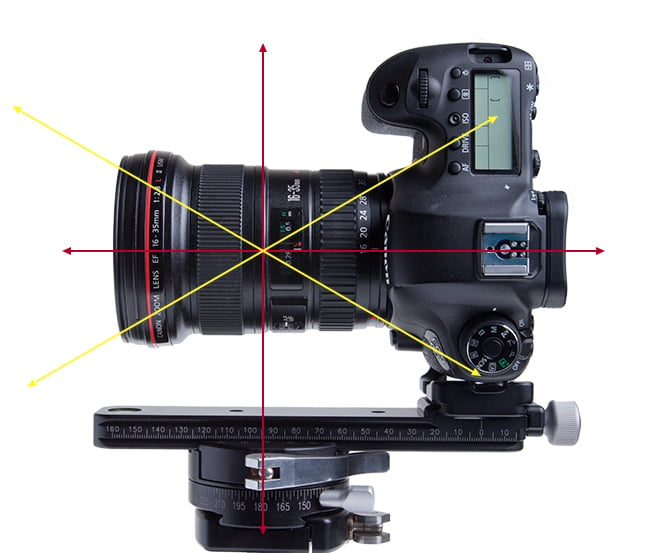
The most immediate visual effect of a dolly move is parallax. As the camera moves, objects closer to the lens appear to move faster across the frame, while distant objects move more slowly. This creates a powerful sense of three-dimensional depth and immersion. It feels real because this is exactly how we experience the world when we move through it .
2. Revealing Information Naturally
A dolly move can reveal information to the audience in a way that feels organic and unforced. As the camera glides past a foreground object, it can reveal a new character or a crucial piece of the scene. This is far more engaging than a simple cut . The audience is prompted to ask questions as new information is slowly unveiled.
3. Emotional Storytelling
The direction of a dolly move carries significant emotional weight.
- Dolly In (Push In): Moving the camera closer to a character often signifies a moment of realization, tension, or intimacy. It forces the audience to focus on the character's internal state. In a famous example from Goodfellas*, a push-in on Henry Hill as he realizes he is being followed communicates a wave of anxiety .
- Dolly Out (Pull Back): Moving the camera away can express isolation, loneliness, or the revelation of a larger context. It can make a character feel small in their environment.
The emotional impact of a dolly move is so powerful that it's not just a convention; it has been the subject of scientific study. Research at Yale University investigated how a dolly in or dolly out affects where an audience looks within a frame, showing that filmmakers can use this technique to guide attention and shape the narrative experience .
The Science Behind the Feeling
Why does a physical camera move feel different from a zoom? It is because of our innate perception of the world.
- Zoom vs. Dolly: A zoom compresses or expands space. It is an unnatural optical effect that the human eye cannot replicate. It tends to feel mechanical and can create a sense of unease or artificiality . A dolly, however, replicates the parallax and perspective shift of human movement. Our brains are hardwired to process this information, making a dolly feel more grounded and cinematic. A dolly in is sometimes called a "push-in," while a zoom in is often used to create a specific, "Vertigo" effect .
Can a 3D Camera Feel Real?
Absolutely. In fact, the principles of cinematic movement are even more critical in the virtual world of CGI, where the danger of creating a stiff, "computer-generated" look is very real.

To make a 3D camera feel organic, you must treat it as if it has physical mass. It should obey the rules of physics and cinematography.
Key Principles for a Realistic 3D Camera
- Easing and Inertia: A real camera on a dolly does not start or stop instantly. It has weight and requires force to accelerate and decelerate. Your animations must have ease-in and ease-out curves to avoid feeling robotic.
- Subtle Shake: Even on the smoothest track, a real camera has micro-shakes. Adding a tiny, subtle vibration using a noise modifier can add incredible realism to a 3D camera move. This is especially true for handheld or Steadicam simulations.
- Realistic Lenses: The camera is only half the equation. The lens determines depth of field, focal length, and distortion. Using a virtual lens with a realistic focal length (e.g., 35mm or 50mm) and applying accurate depth of field is essential for a cinematic look.
- Foreground Elements: A common mistake in 3D animation is to have the camera move through a "clean" empty space. Real dolly shots often have elements passing through the foreground, creating that crucial sense of parallax and depth.
Common Mistakes in 3D Camera Animation
Even experienced animators can make these common mistakes when trying to simulate a cinematic camera in 3D.
| Mistake | Why It's a Problem |
|---|---|
| Linear Animation | A camera moving at a constant speed looks like a video game, not a film. It has no sense of weight. |
| Cameras Moving Too Fast | A cinematic dolly is often very slow. Fast moves can disorient the audience or lack emotional impact. |
| No Foreground Objects | Without foreground elements passing by, the scene can appear flat and lack the parallax that defines the cinematic look. |
| Unrealistically Wide Lenses | Wide-angle lenses are powerful but can distort a scene and make camera moves seem too fast or unnatural. Use them with intent. |
| Excessive Depth of Field | While beautiful, overusing shallow depth of field in 3D can look like an artificial effect. A more natural depth of field makes the world feel more tangible. |
How to Create a Cinematic Dolly Move in DaVinci Resolve Fusion
DaVinci Resolve Fusion is not just for visual effects; it is a powerful 3D compositing environment where you can create and animate virtual cameras . Here is a step-by-step workflow to create a cinematic dolly move in Fusion.
Step 1: Set Up Your 3D Scene
- In the Fusion page, start by building your 3D scene.
- Add a Merge3D node to combine all your 3D elements.
- Add a Camera3D node. This is your virtual dolly.
Step 2: Animate the Camera
- Select the Camera3D node.
- In the Inspector, navigate to the Transform tab.
- Move the playhead to the start of your shot (e.g., frame 1). Set a keyframe for the Translation (X, Y, Z) of your camera.
- Move the playhead to the end of your shot. Reposition the camera, perhaps "dollying" it forward by changing its Z-position. Set another keyframe.
- Crucial Step: The Easing*. Go to your Spline Editor. Select the animation curves for the Translation. Change the interpolation type from Linear to Smooth or Bezier. Edit the handles to create a slow start (ease-in) and a slow stop (ease-out). A professional move feels organic because of this easing.
Step 3: Add Realistic Lens Behavior
- With the Camera3D node selected, go to the Lens tab in the Inspector.
- Set a realistic Focal Length (e.g., 35mm or 50mm).
- Enable Depth of Field (DOF).
- Set the Focus Distance to the target object in your scene. This is the distance from the camera that will be in perfect focus. As the camera dollies in, this focus distance might need to change, creating a realistic focus pull effect.
Step 4: Introduce Subtle Realism
- Subtle Shake: Add a Shake modifier to the camera's translation or rotation to mimic the slight vibrations of a physical dolly. Keep the settings very small to avoid a shaky-cam effect.
- Foreground Parallax: Ensure your 3D scene has objects close to the camera. As the camera moves, these foreground objects will create that essential parallax effect .
Step 5: Final Comp
Connect the Camera3D into a Renderer3D node. This node's output can then be merged with your footage or other elements for the final composition. For advanced techniques like blending separate camera paths or creating 2.5D projections, Fusion offers the tools to combine 3D and 2D workflows seamlessly .
Professional Techniques for All Filmmakers
Whether you are using a real dolly or a virtual one, these professional techniques will improve your shots.
- Use Motivated Camera Movement: The best camera movements are justified by the action. The camera should move because a character moves, or to reveal something the character is looking at. An "unmotivated" dolly is a deliberate stylistic choice, as seen in the works of Martin Scorsese .
- Move Slow and Steady: A dolly is about subtlety and precision. Rushing a dolly move often looks unprofessional. Take your time .
- Add Foreground Elements: This cannot be overstated. A foreground element moving with the dolly creates the parallax and sense of speed that makes the shot feel immersive .
- Storyboard and Plan Your Moves: Because a dolly shot can be complex to set up, pre-visualizing your move is critical for both live-action and CGI. It saves time and ensures the shot serves the story .
Frequently Asked Questions
Why does a dolly shot look more cinematic than a zoom? A zoom changes the focal length of the lens, which compresses space and feels artificial to the human eye. A dolly physically moves the camera, which creates parallax and changes perspective, mimicking how we naturally perceive depth when we move. It feels more visceral and immersive .
What is parallax and why is it important? Parallax is the apparent shift in the position of an object when viewed from different angles. In a dolly shot, objects closer to the camera appear to move faster than distant objects. This creates a powerful sense of 3D depth and is a key reason why a dolly shot feels so dynamic and cinematic .
How do I create a convincing 3D dolly move in Fusion? Focus on two things: animation and lens behavior. Animate the camera with a slow ease-in and ease-out, and ensure your scene includes foreground objects to create parallax. Finally, use a realistic focal length (e.g., 35mm) and add a subtle depth of field to mimic a real camera lens .
What is a dolly zoom and how does it work? A dolly zoom, also known as a "Vertigo effect," is a technique where the camera dollies in or out while the lens zooms in the opposite direction. This keeps the subject the same size in the frame while the background appears to compress or expand. It is an unnatural effect often used to convey a character's sudden, intense realization, vertigo, or unease .
Should I use a dolly or a gimbal for my project? A dolly provides precise, linear, and slow movements ideal for dramatic reveals, dialogue, and a "classic" cinema feel. A gimbal offers a wider, more dynamic range of motion, including sweeping "floating" movements, and is often used for action sequences or to follow a character through a space. The best choice depends on the emotional tone you want to set .
Conclusion
Whether your camera rolls on steel tracks or exists only inside a 3D scene, the principles remain the same. Audiences do not remember the equipment. They remember how the movement made them feel.
Understanding the psychology of a dolly move, the physics of parallax, and the techniques of easing and lens behavior can elevate your work from amateur to cinematic. This is a craft that demands attention to detail and a deep respect for the language of film. At MAKE ENT STUDIO, we master these techniques to tell stories that resonate, using both real and virtual cameras to bring our creative visions to life.
Related Resources
- DaVinci Resolve: The Complete Video Editor's Guide
- The Art of Color Grading in DaVinci Resolve
- Post-Production Workflow Optimization
- Cinematic Editing Techniques
- Our Full Service List
- About MAKE ENT STUDIO
- Our Portfolio / Work
Last updated: July 2026 | MAKE ENT STUDIO Camera Movement Guide*