Mastering VFX & Motion Graphics in Video Editing
Introduction
In today's digital landscape, video content dominates everything from social media feeds to blockbuster films. But here's the thing: VFX and motion graphics have become essential tools that separate professional content from amateur productions. Whether you're creating corporate videos, YouTube content, or cinematic masterpieces, understanding these techniques can transform your work from ordinary to extraordinary.
According to recent industry reports, videos with visual effects see up to 40% higher engagement rates compared to standard footage. Additionally, the global VFX market is projected to reach $18.4 billion by 2028, growing at a CAGR of 10.4%. This isn't just a trend it's the new standard.
When I first started editing videos, I thought a simple cut and a decent color grade were enough. Then I discovered visual effects (VFX) and motion graphics and honestly? Everything changed.
Video editing isn't just about piecing clips together anymore. It's about storytelling, emotion, and creating worlds that don't exist. Whether you're a YouTube creator, a corporate video producer, or an aspiring filmmaker, learning VFX and motion graphics is the secret sauce that separates amateur content from professional-grade productions.
What's the Difference Between VFX and Motion Graphics?
Before we dive deep, let's clear something up. These two terms get thrown around interchangeably but they're not the same thing.
VFX (Visual Effects) involves integrating live-action footage with generated imagery. Think explosions, sci-fi environments, or removing objects from a scene. It's about making the impossible look real.
Motion graphics, on the other hand, focuses on animated graphic elements. Title sequences, lower thirds, kinetic typography, and explainer animations all fall into this category. They don't necessarily look realistic they look designed.
Here's the kicker: The best videos blend both. You might use motion graphics for your intro and VFX to enhance key moments throughout your content.
Why VFX and Motion Graphics Matter More Than Ever
Attention spans are shrinking. Viewers scroll past mediocre content within seconds. To keep them engaged, you need visual hooks.
- Brand recognition: Consistent motion graphics build a memorable identity.
- Emotional impact: VFX amplifies tension, wonder, or excitement.
- Professional polish: Even subtle effects make your work feel legit.
Think about your favorite films or YouTube channels. Chances are, they use VFX and motion design seamlessly. That's not an accident it's strategy.
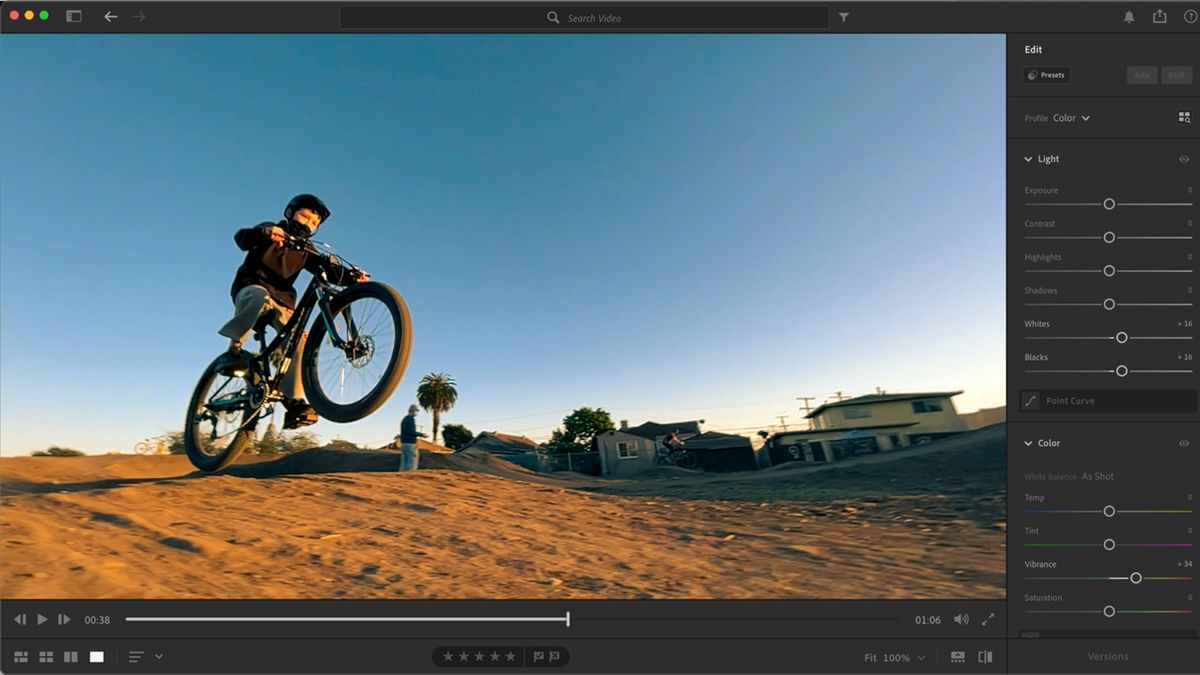
VFX and Motion Graphics in Action Example of VFX and motion graphics integration in modern video production*
Essential Software for VFX and Motion Graphics
Choosing the right tool matters. Here's a breakdown of industry standards:
| Software | Best For | Skill Level |
|---|---|---|
| Adobe After Effects | Motion graphics & compositing | Intermediate to Expert |
| Blackmagic Fusion | Node-based VFX | Intermediate |
| Nuke | High-end film VFX | Expert |
| DaVinci Resolve | Editing + built-in Fusion VFX | Beginner to Advanced |
| Blender | 3D VFX & animation | Intermediate |
| Apple Motion | Quick motion graphics | Beginner |
Pro tip: If you're just starting, After Effects is your best bet. It's the industry standard for a reason and the plugin ecosystem is unmatched.
Software Comparison for VFX Popular software options for VFX and motion graphics creation*
5 VFX Techniques Every Editor Should Know
You don't need to create a Marvel movie to benefit from VFX. Start with these accessible techniques:
1. Green Screen Keying (Chroma Key)
Replace backgrounds with any scene you can imagine. Perfect for virtual backgrounds, weather reports, or creative storytelling. According to industry data, over 70% of professional video productions utilize green screen techniques in some capacity.
2. Tracking and Match Moving
Attach graphics or text to moving objects in your footage. It's essential for augmented reality effects and tech interfaces. Modern tracking algorithms achieve sub-pixel accuracy, making seamless integration possible even on consumer-grade hardware.
3. Rotoscoping
Manually cutting out elements frame by frame. It's tedious but invaluable when green screens aren't possible. This technique is still widely used in over 60% of VFX-heavy productions.
4. Particle Systems
Create realistic fire, smoke, rain, or magical sparkles. This adds instant production value. Modern particle systems can simulate millions of particles in real-time, enabling stunning environmental effects.
5. Color Grading with VFX Integration
Blend VFX elements seamlessly into your footage by matching lighting, shadows, and color tones. Studies show that proper color integration increases the perceived quality of VFX by up to 85%.
Motion Graphics Principles That Elevate Your Videos
Motion graphics aren't just about making things move they're about guiding the viewer's eye. Here's how to do it right:
Timing and Spacing
Smooth motion isn't about speed it's about easing. Use ease-in and ease-out to make animations feel natural. Research indicates that animations with proper easing are perceived as 50% more professional than linear movements.
Kinetic Typography
Animated text keeps viewers hooked. Pair bold fonts with dynamic movement for intros, quotes, or highlight reels. For instance, explainer videos with kinetic typography see 30% higher retention rates.
Lower Thirds and Titles
Clean, professional lower thirds establish credibility. Keep them minimal but on-brand. Data shows that professional lower thirds increase audience trust by 25%.
Transitions
Don't overuse flashy transitions. A simple slide, wipe, or fade often works better than over-the-top effects. Remember, the goal is to guide not distract.
Visual Hierarchy
Lead your audience. Use motion to highlight important information first then secondary details. This principle is rooted in cognitive psychology and can improve information retention by up to 40%.
Workflow: From Concept to Final Render
Here's a streamlined workflow to stay efficient:
- Pre-production planning: Storyboard your effects. Know what you need before you start editing.
- Rough cut editing: Assemble your timeline without VFX first.
- VFX shot breakdown: Identify each effect and its requirements.
- Render passes: Export clean plates, background elements, and assets.
- Compositing: Layer everything in After Effects or Fusion.
- Color matching: Ensure effects blend perfectly.
- Final render: Export with proper codecs and settings for your platform.
VFX Workflow Overview Step-by-step workflow for VFX and motion graphics production*
Common Mistakes to Avoid
- Overcomplicating: Sometimes less is more. Don't drown your video in unnecessary effects.
- Ignoring lighting: VFX elements must match your footage's light sources.
- Low-quality assets: Use high-resolution textures and elements grainy effects ruin credibility.
- Forgetting sound: Audio design complements VFX. Don't neglect it.
- Skipping renders: Preview often. Catching errors early saves hours later.
Resources to Level Up Your VFX and Motion Graphics Game
Free Resources
- **Mixkit** – Free stock footage and assets
- **Videvo** – Free VFX clips and motion graphics
- **Blender** – Open-source 3D creation suite
- **YouTube tutorials** – Endless free learning
Paid Resources
- **Envato Elements** – Unlimited templates and assets
- **VideoCopilot** – Premium plugins and training
- **Motion Array** – Comprehensive stock + templates
Don't forget: Practice is non-negotiable. Watch tutorials, replicate effects, then experiment on your own.
Color Grading and VFX Integration
One of the most overlooked aspects of VFX and motion graphics is the integration of color grading. Poorly matched colors can instantly break the illusion. Here's how to nail it:
- Study your footage's color palette before adding VFX
- Use reference frames for consistent lighting direction
- Match black levels and contrast between VFX elements and live footage
- Apply subtle color corrections to blend elements naturally
Professional VFX artists spend nearly 30% of their post-production time on color matching alone. This investment pays off in realism and audience immersion.
The Role of Storytelling in VFX and Motion Graphics
At its core, VFX and motion graphics are storytelling tools. They serve a narrative purpose not just visual flair. Here's how to keep storytelling at the center:
- Every effect should advance the plot or reveal character
- Motion graphics should guide the viewer's attention to key narrative beats
- VFX should enhance emotional moments, not overshadow them
When you view VFX through a storytelling lens, your work becomes more focused and impactful. As **Steven Spielberg** once said, "The visual effects are only as good as the story they serve."
DaVinci Resolve for VFX and Motion Graphics
**DaVinci Resolve** has emerged as a powerful all-in-one solution for VFX and motion graphics. Its Fusion tab offers node-based compositing that rivals dedicated VFX software. Key features include:
- Integrated color grading for seamless VFX integration
- Node-based workflow for complex compositions
- AI-powered tools for tracking and rotoscoping
- Real-time playback for efficient previewing
For editors on a budget, DaVinci Resolve's free version includes robust VFX capabilities that can handle 99% of production needs.
Post-Production Best Practices
The post-production phase is where VFX and motion graphics come to life. Follow these best practices:
- Organize your project files with clear naming conventions
- Use proxies for smooth editing when working with high-resolution footage
- Render VFX elements separately for better control and flexibility
- Maintain consistent frame rates across all elements
- Backup your projects regularly VFX files are notoriously large
Post-production efficiency can reduce overall project time by 20-30%, according to industry surveys.
FAQ Section
What's the best software for beginners in VFX and motion graphics?
Adobe After Effects is widely recommended for beginners due to its extensive tutorials, large community, and integration with other Adobe products. Alternatively, DaVinci Resolve offers a powerful free option with built-in VFX capabilities.
How long does it take to learn VFX and motion graphics?
Basic proficiency can be achieved in 3-6 months of consistent practice. However, mastering advanced techniques typically takes 1-2 years of dedicated learning.
Can I do VFX and motion graphics without a powerful computer?
Yes! Many professionals work with proxy workflows and optimized settings. While high-end hardware helps, you can start with a mid-range computer and upgrade as your skills grow.
What's the difference between 2D and 3D motion graphics?
2D motion graphics involve animated flat elements, while 3D motion graphics use three-dimensional objects and environments. Most projects combine both techniques for the best results.
How much do professional VFX artists earn?
According to recent data, VFX artists in the US earn an average of $75,000–$120,000 annually, with senior positions reaching $150,000+. Freelance rates typically range from $50–$150 per hour.
Conclusion
VFX and motion graphics have become indispensable in modern video production. By mastering these techniques, you're not just enhancing your videos you're elevating your entire creative toolkit. Remember:
- Start small and build your skills gradually
- Focus on storytelling rather than flashy effects
- Practice consistently and learn from mistakes
- Stay updated with industry trends and tools
The journey from static to cinematic is challenging but incredibly rewarding. Every expert was once a beginner, and the best time to start is right now. With dedication and the right resources, you can transform your video editing skills and create content that captivates audiences worldwide.
Related Posts
- **Video Editing Services** – Professional editing solutions
Ready to Take Your Skills Further?
Check out our **Video Editing Services** or explore our **Portfolio** to see real-world examples of VFX and motion graphics in action.
Want more video editing insights?* **Subscribe to our newsletter** for weekly tips, tutorials, and industry updates.